

Best mice for Photoshop help digital artists and photo editors achieve pixel-level control, efficient command execution, and comfort during extended editing sessions. While most users rely on standard peripherals, creative professionals benefit from gaming-grade mice that offer high-resolution sensors, customizable buttons, and ergonomic contours to enhance precision and reduce wrist strain. This guide highlights top candidates such as the Logitech G700S, favored for ergonomic button layout; the Logitech G900 Chaos Spectrum, renowned for its high-performance wireless tracking; and the Logitech G600, an excellent choice for budget-conscious editing with macro button support. Also included are models like the Logitech MX Master 2S and Logitech MX Anywhere 2S, praised for workflow efficiency and cross-device control, along with game‑inspired options like the Razer Naga Trinity and Corsair Scimitar RGB, which provide thumb-grid buttons ideal for tool switching in Photoshop. Features such as adjustable DPI (often 4000+ for precise pointer control), tactile programmable macros, and contoured form factors help streamline routine actions like brush selection, layer switching, and zooming. For professionals familiar with architectural or CAD workflows, these mice provide similar advantages—configurable buttons and ergonomic support. Related expert picks are available in our guides on the best mouse for architects and the best mice for CAD. Whether you’re retouching photos, composing digital art, or working across multiple creative tools, these mice empower Photoshop users with precision, customization, and fatigue-resistant comfort.
Best Mouse For Photoshop
Here is the list of the 7 best mice for Photoshop that you can use to enhance your productivity, accuracy, and control while editing images.
1. Logitech G700S – Best for Comfortable Photoshop Editing
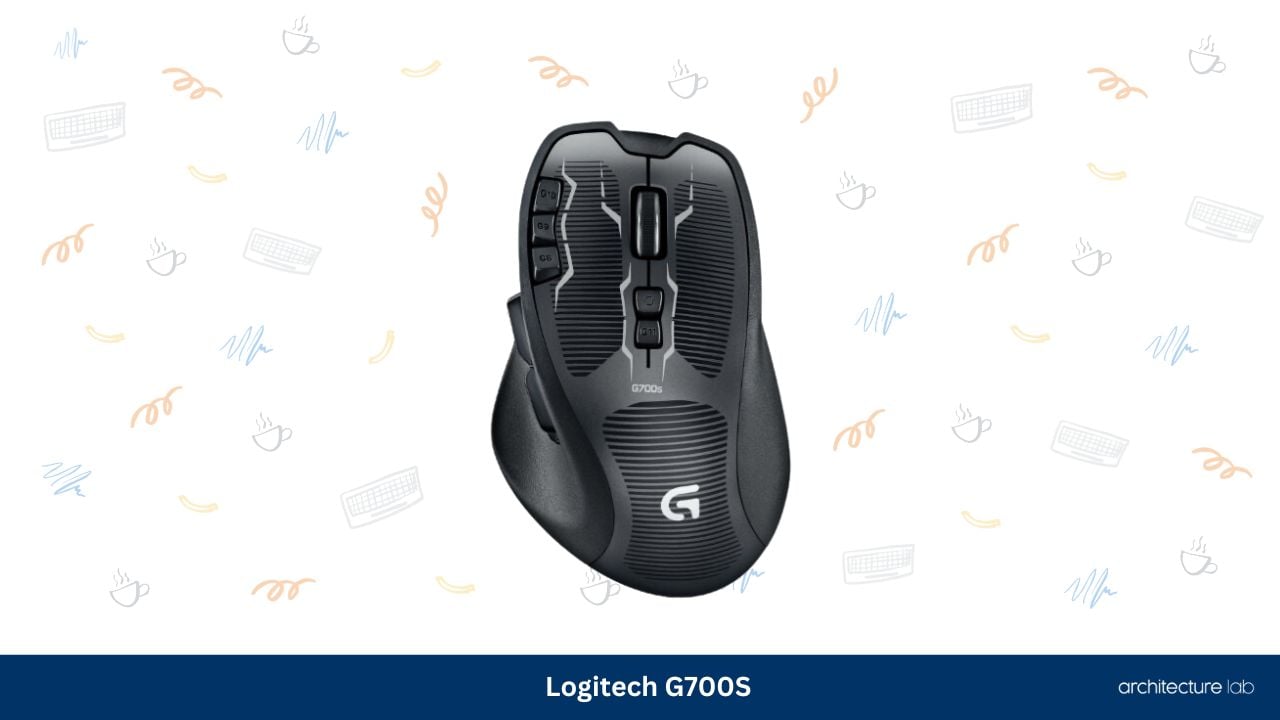
The Logitech G700S is widely regarded by many Photoshop enthusiasts and gamers as the best Macro mouse ever. At $199, it is reasonably affordable and is one of the most popular picks in this segment, and there’s not much that can go wrong if you’re using it for Photoshop.
It requires a single AA battery and can be used both wired and wirelessly. The reason for this is that if you’re using a rechargeable battery, connecting the mouse with the USB cable to your computer will automatically charge the battery as the mouse itself doubles down as a battery charger.
It’s also among the most comfortable mice you can use. The buttons are well-placed and don’t feel clustered or uncomfortable to use. The mouse in itself is chunky and easy to grip. It’s got a scroll wheel tilting option, and the DPI scaling is good at a maximum of 8,200 DPI, which is what makes it so good for Photoshop.
What We Like
- Has all features a photoshop enthusiast would be looking for
- Automatic Charging using USB Cable
- Extremely comfortable to hold and use
What We Don’t Like
- Should have an optical sensor at the price point
2. Logitech G900 Chaos Spectrum – Best High-Performance Mouse
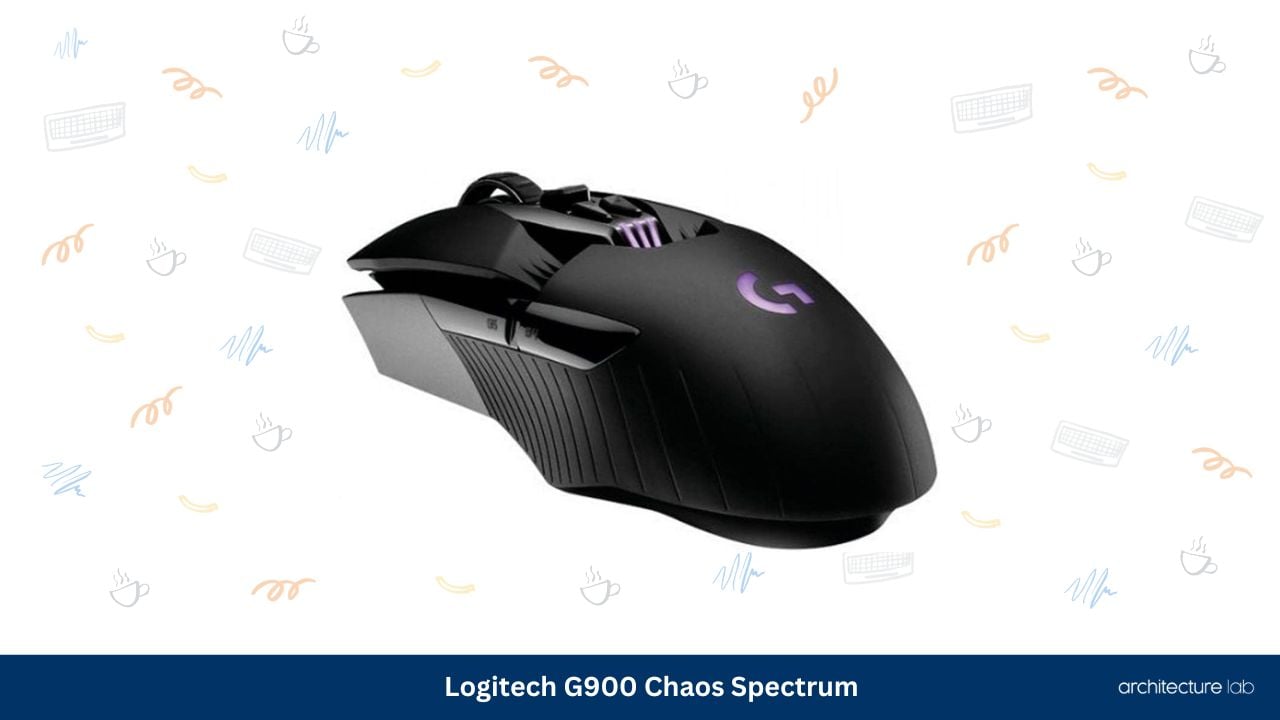
The more expensive, advanced, bigger brother of the G700S has a lot to offer if you can afford it. It is one of the most advanced wireless mice on the market and features a good-looking and high-performance ambidextrous design.
The G900 Chaos Spectrum boasts a tremendous 12,000 dpi range, making sure that you can navigate comfortably on any screen size without a hassle. The battery lasts a long 32 hours, which means you can comfortably use it for an entire day without worrying about the battery getting drained. Bear in mind, though, that this one does not come with a charging dock and does not have the same recharging tech as the G700S.
While most other mice feature a laser sensor, the G900 Chaos Spectrum boasts a high-tech Optical Sensor. There is not much else you could ask for in a professional mouse, and it has the perfect features for Photoshop. Shell out the cash, and you’ll be happy with your purchase.
What We Like
- Optical Sensor
- 12,000 dpi range
- 32 hour Battery Life
- Ambidextrous Design
What We Don’t Like
- Expensive
- No Charging Dock
3. Logitech G600 – Best Budget Photoshop Mouse

If you can’t afford either of the aforementioned mice, don’t fret. We’ve got just the right option for you: the Logitech G600. The G600 is a uniquely designed MMO gaming mouse that features the highest number of buttons on a gaming mouse. What this means is that if you use this mouse, chances are you might be able to carry out most of the functions you usually require using just your mouse.
Other than that, it has the same DPI range as the G700S at 8,200 dpi, which makes it quite versatile and usable on most screen sizes. It also features an RGB backlight system. It isn’t wireless though,h so don’t expect to be carrying it along with your laptop at ease.
If you’re on a budget and need something that won’t compromise on quality or performance, look no further. The G600 is almost as good, if not better than the more expensive G700S at a much lower price.
What We Like
- Affordable
- Lots of buttons
- RGB Backlight System
- 8,200 dpi at an affordable price
What We Don’t Like
- Not Wireless
- Too many buttons for Photoshop
4. Logitech MX Master 2S
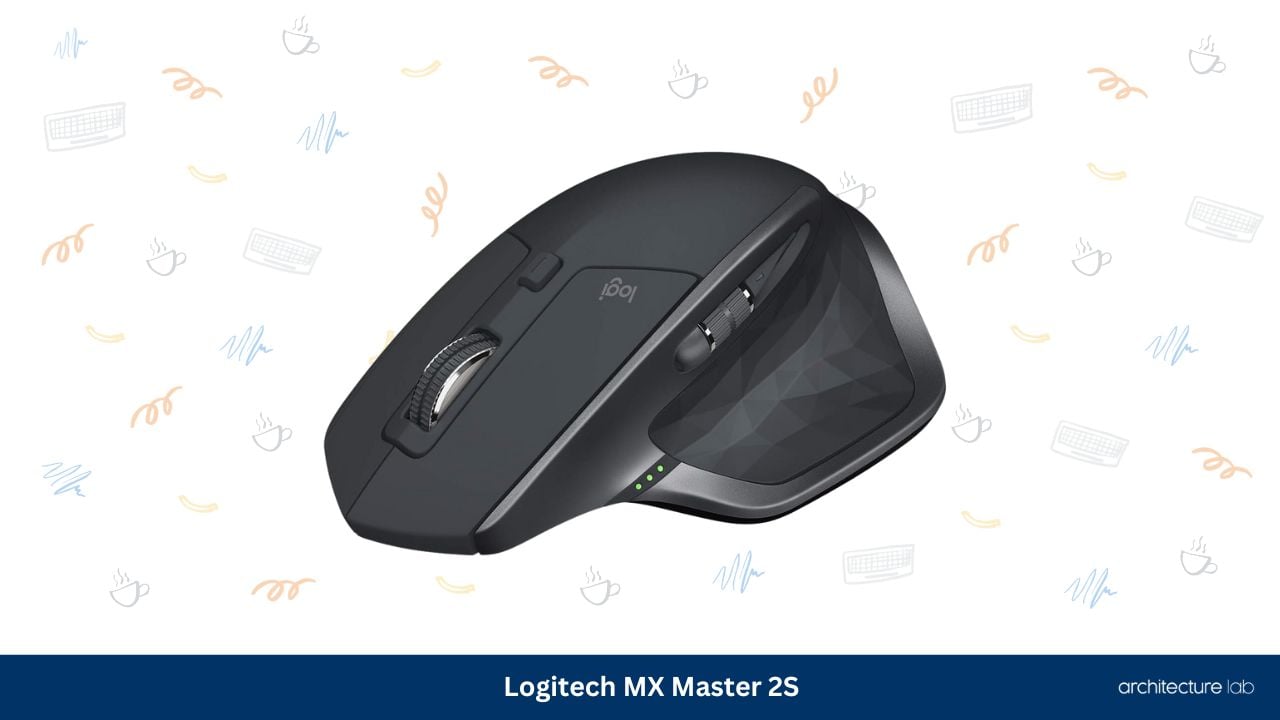
Now here’s something that offers quite a different experience compared to all the gaming mice mentioned above. The Logitech MX Master 2S has a number of features that are genuinely useful to Photoshop professionals.
This mouse features Logitech’s FLOW cross-computer usability. What this means is that you can use this mouse on multiple computers at the same time. It connects via a special unified receiver that transmits the mouse’s signal across to at least 3 different computers (Compatible with both Windows and Mac).
What’s more, the MX Master 2S can also transfer files between these computers without you having to connect a USB storage device and go through the hassle of copying stuff onto it from one computer and transferring it to the next. It can also be used on any kind of flat surface, including glass, without losing out on its tracking speed or response time.
Keep in mind the meager dpi range of 4000, though. But while this thing’s dpi scaling isn’t anywhere close to those of the aforementioned gaming mice, the other advantages outweigh this one small problem, which is a non-issue if you can get used to it.
What We Like
- Extraordinary Ergonomic, Very Comfortable
- Cross-Computer Usability
- File Transfer Options
- Can be used on any surface
- Long battery life of 70 days
What We Don’t Like
- 4,000 dpi range
- Noticeable lag on larger screens
5. Razer Naga Trinity
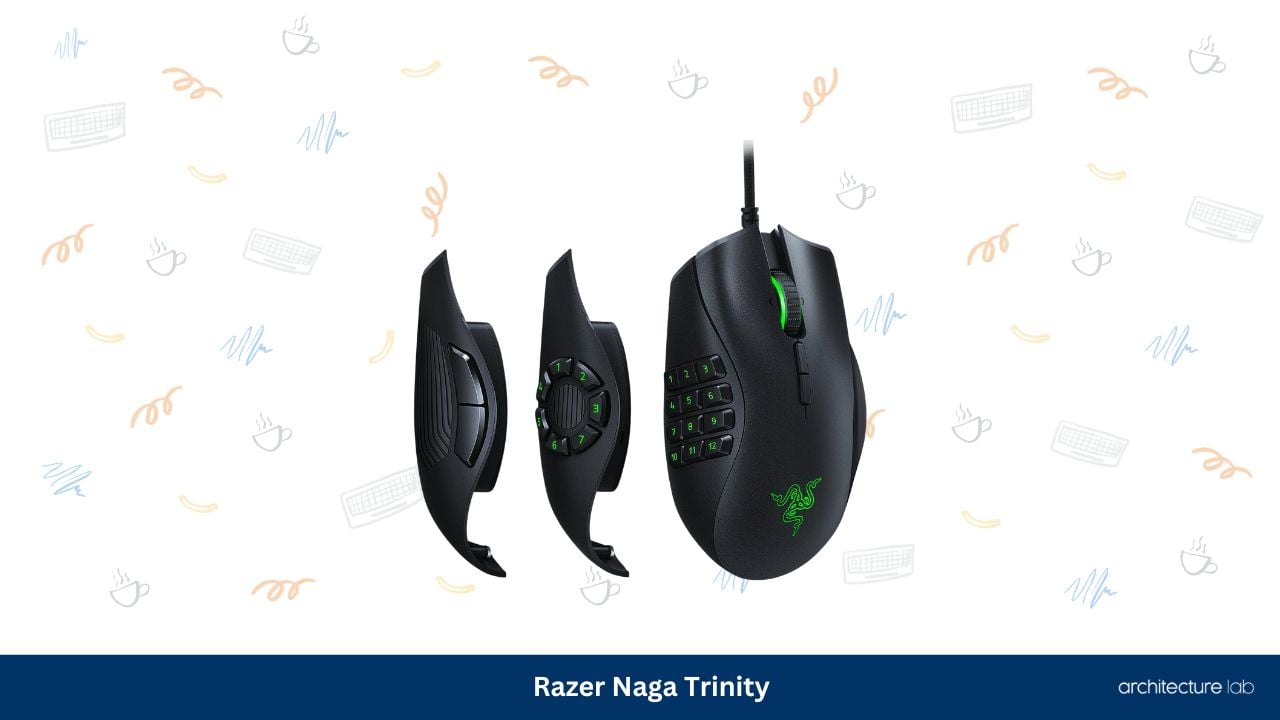
Well, Logitech sure does dominate the computer mouse industry, doesn’t it? Or so it seems. Here’s one really good product by Razer, the Naga. The name might seem a little weird, but once you set your sights on this mouse, you’ll stop thinking about it. What’s in a name anyway?
The Naga Epic Chroma is one of the most comfortable mice to use, and just like the Logitech G600, it has a lot of customizable buttons. Just one less than the G600, in fact, but more than enough for a Photoshop enthusiast.
The dpi range sits at 8,200. Quite handy and sufficient for most screen resolutions. The tilt-click scroll function is a really good feature to use as well. And the buttons feel nice and chunky. The battery life is an acceptable 20 hours on a single charge, and the mouse features a 1ms response time, making screen lag minimal and unnoticeable.
What We Like
- Really good wireless performance
- Chroma Color Scheme makes it really striking and vibrant in looks
- Competitive 8,200 dpi range
- Lots of buttons can be useful
What We Don’t Like
- Average Battery Life
- Lots of buttons can be confusing
6. Corsair Scimitar RGB
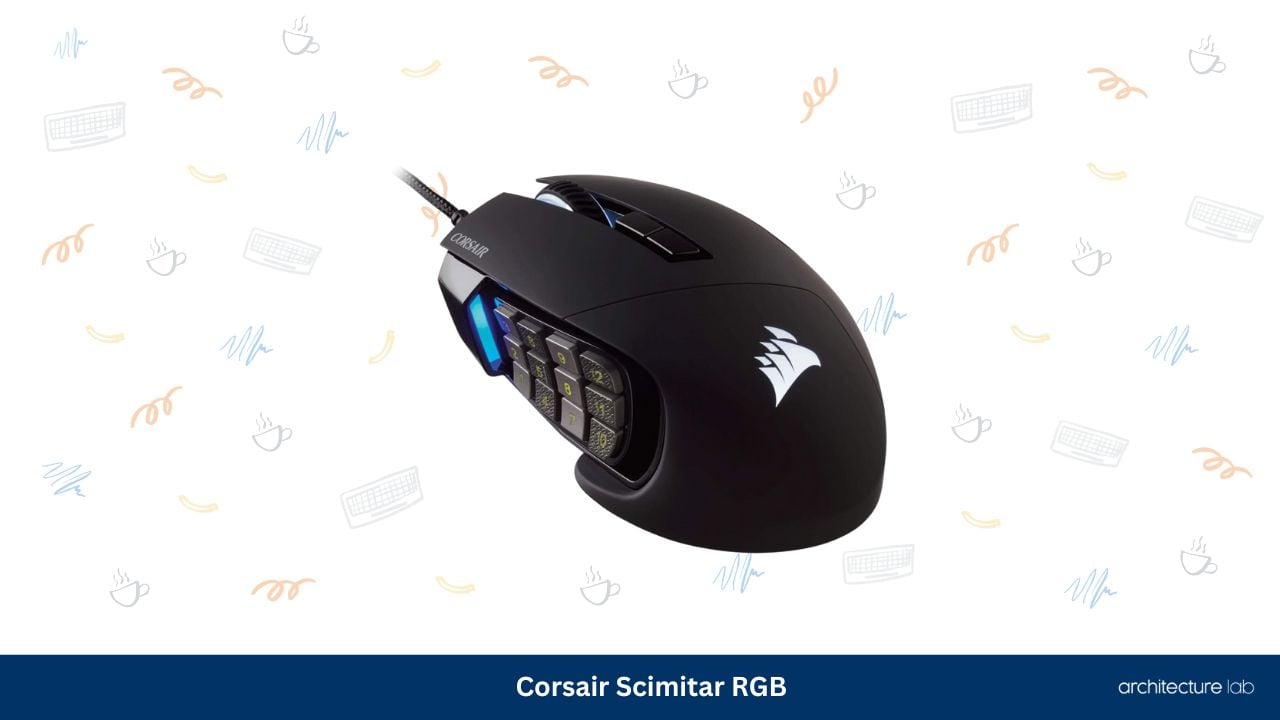
Another brand that’s competing with Logitech and able to hold up, Corsair has an excellent option on the table in case you’re looking for a really good mouse for Photoshop. Just like most MMO Gaming mice, the Scimitar features a large number of customizable buttons and superior DPI scaling, which is what makes it so good for Photoshop.
The Scimitar RGB features an advanced optical sensor, unlike most mice, which come with a laser sensor. This gives it an incredible DPI range of 12,000, making it usable on almost any display resolution out there. The Scimitar RGB is not a wireless mouse, so there’s that.
But there’s no need to worry about that. What makes the Scimitar so good is its almost instantaneous response time. You won’t notice the slightest bit of lag while navigating a large screen because of its 1ms response time and 12,000 dpi optical sensor.
What We Like
- Optical Sensor
- 12,000 dpi range
- 1ms Response Time
- Durable and Comfortable Buttons
What We Don’t Like
- Not Wireless
- Expensive
- Quite Large
7. Logitech MX Anywhere 2S

Just like the Logitech MX Master 2S, the MX Anywhere is designed with several features that come in extremely handy to a Photoshop enthusiast. It has the same Cross-Computer usability option. It has the same incredibly long battery life of 70 days. It can track accurately while being used on any surface.
It has one really good thing going for it over the MX Master, though. Portability. The Anywhere 2S is for people who travel a lot or have to stay mobile while working. The Anywhere 2S is essentially a Master 2S that has been scaled down in size and button functionality. Yes, there are fewer buttons, and it lacks the side-scrolling ability of the Master 2S. It also compromises Bluetooth connectivity and file-sharing ability.
It is a lot cheaper,r though. The Anywhere 2S fits that niche of Photoshop enthusiasts who are constantly on the move and have to carry their stuff everywhere.
What We Like
- Compact Size
- Portable Design
- Retains the features of the Master 2S
- Affordable
What We Don’t Like
- Small sizes may not be comfortable to use
- Does not have the same button functionality as the Master 2S
Best Mouse For Photoshop Comparison Table
| Product | Connnectivity | DPI | Sensor Type | Compatibility | Battery Life |
|---|---|---|---|---|---|
| Logitech G700S | Wireless, Wired, USB | 200 – 8200 | Laser | Windows 10/8/7/Vista/XP | Up to 10.5 hours |
| Logitech G900 | Wireless | 200 – 12000 | Optical | Windows 10 or later/8.1/8/7 | 32 hours |
| Logitech G600 | USB | 200 – 8200 | Laser | Windows Vista/7/8 | N/A |
| Logitech MX Master 2S | Wireless | 4000 | Darkfield Laser | macOS, Windows | 70 days |
| Razer Naga Trinity | Wireless | 8200 | Laser | Windows 10/8/7/Mac OS X (v10.8 – 10.11) | 20 hours |
| Corsair Scimitar RGB | USB | 16000 | Optical | Windows 10/8/7 | N/A |
| Logitech MX Anywhere 2S | Wireless | 4000 | Darkfield Laser | Windows, macOS | 70 days |
What is the advantage of using a specific mouse for Photoshop?
Mice designed for Photoshop usually have high precision, accuracy, and better ergonomics, which can increase your productivity, reduce hand fatigue, and give you greater precision when working with images.
Is a wireless mouse better than a wired one?
A wired mouse generally has a faster response time and no latency compared to a wireless one.
However, a wireless mouse can give you more flexibility and comfort when working on your computer.
Conclusion
Selecting the perfect mouse for your Photoshop needs can make all the difference in your workflow and improve overall productivity.
From the above 7 best mice for Photoshop, here are the top three expert recommendations:
The Logitech G700S is an ideal option as it is well known for its comfort, numerous buttons, and wireless connectivity, making it the go-to choice for many professionals.
The Logitech G900 Chaos Spectrum is a good option for those seeking a high-performance device with an ambidextrous design and an impressive 12,000 dpi range, ideal for Photoshop tasks.
Finally, the Logitech G600 is the right choice for users on a budget, as it offers a large number of programmable buttons and good performance without breaking the bank.
That’s all we can talk about as far as Photoshop Mice go. The mouse is just one piece of the puzzle, though.
Keep a lookout for more guides to equipment for Photoshop enthusiasts if you’re keen on taking it up as a professional. You need computers capable of decent graphical processing, a good keyboard with extra functionality, and a display that supports a lot of colors and good response time.
So, go ahead and start shopping for the ultimate Photoshop rig!
Related Articles
