home/products/10 best keyboards for architects – autocad, revit & cad shortcuts
10 Best Keyboards for Architects – AutoCAD, Revit & CAD Shortcuts
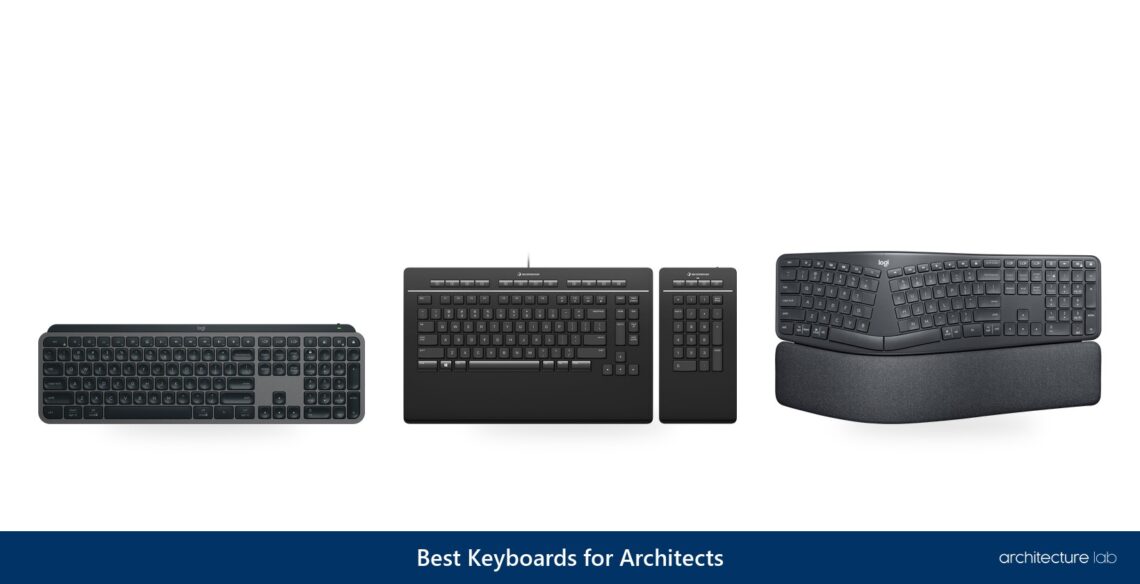
Keyboards for architects take AutoCAD’s commands as typed aliases, such as L for LINE, and its points as typed coordinates, so a numeric keypad, programmable keys and macros that office IT permits decide the choice. The Logitech MX Keys S covers that for most desks: a full-size, low-profile board with a numeric keypad that pairs with three devices and switches between them at a key press. A desk given over to AutoCAD gets more from the 3Dconnexion Keyboard Pro with Numpad, whose 12 programmable keys sit on a corded board beside a numpad that detaches. In an office that forbids installing keyboard software, the Keychron Q6 Max keeps Revit macros in its QMK firmware, so they run on any computer it connects to. Comfort settles the rest, between low-profile, mechanical and split keys, and between a full keypad and a compact board that keeps the mouse close.
Review
Keyboards for architects take AutoCAD’s commands as typed aliases, such as L for LINE, and its points as typed coordinates, so a numeric keypad, programmable keys and macros that office IT permits decide the choice. The Logitech MX Keys S covers that for most desks: a full-size, low-profile board with a numeric keypad that pairs with three devices and switches between them at a key press. A desk given over to AutoCAD gets more from the 3Dconnexion Keyboard Pro with Numpad, whose 12 programmable keys sit on a corded board beside a numpad that detaches. In an office that forbids installing keyboard software, the Keychron Q6 Max keeps Revit macros in its QMK firmware, so they run on any computer it connects to. Comfort settles the rest, between low-profile, mechanical and split keys, and between a full keypad and a compact board that keeps the mouse close.
Picked for architects, architecture students and CAD teams, the ten keyboards run from Logitech’s overall pick and Apple’s Touch ID board for the Mac to a budget pick with a palm rest and a CAD keypad:
- Logitech MX Keys S: Best overall, full-size and low-profile with a numpad and three-device pairing
- 3Dconnexion Keyboard Pro with Numpad: Best for AutoCAD, 12 programmable keys and a detachable wireless numpad
- Keychron Q6 Max: Best for Revit, every key remappable in firmware on a full-size mechanical board
- Logitech MX Mechanical: Best mechanical, low-profile switches in three types with a full numpad
- Logitech ERGO K860: Best ergonomic, a split curved board with negative tilt and a numpad
- Logitech MX Keys Mini: Best compact, a 75% board that keeps the mouse close, without a numpad
- Apple Magic Keyboard with Touch ID and Numeric Keypad: Best for Mac, Touch ID and a full numeric keypad on USB-C
- Logitech K780 Multi-Device Wireless Keyboard: Best multi-device, three-channel switching with a built-in tablet and phone stand
- Logitech Signature K650: Best budget, full-size with a numpad, a palm rest and a 36-month battery
- 3Dconnexion Numpad Pro: Best CAD keypad, four programmable keys for the left hand beside any keyboard
Compare the Best Keyboards for Architects
| Keyboard | Best For | Layout | Numpad | Keys | Connection | Devices |
|---|---|---|---|---|---|---|
| Logitech MX Keys S | Overall | Full-size | Yes | Scissor | Bluetooth, Bolt | 3 |
| 3Dconnexion Keyboard Pro with Numpad | AutoCAD | Full-size | Detachable | Scissor | USB-A cable | 1 |
| Keychron Q6 Max | Revit | Full-size | Yes | Mechanical | 2.4 GHz, Bluetooth, cable | 3 |
| Logitech MX Mechanical | Long sessions | Full-size | Yes | Low-profile mechanical | Bluetooth, Bolt | 3 |
| Logitech ERGO K860 | Ergonomics | Split, full-size | Yes | Perfect Stroke | Bluetooth, receiver | 3 |
| Logitech MX Keys Mini | Small desks | Compact 75% | No | Low-profile | Bluetooth | 3 |
| Apple Magic Keyboard with Touch ID and Numeric Keypad | Mac | Full-size | Yes | Scissor | Bluetooth, USB-C | 1 |
| Logitech K780 Multi-Device Wireless Keyboard | Multi-device | Compact | Yes | Not listed | Bluetooth, Unifying | 3 |
| Logitech Signature K650 | Budget | Full-size | Yes | Rubber dome | Bluetooth, Bolt | 1 |
| 3Dconnexion Numpad Pro | CAD keypad | Keypad | Yes | Scissor | Bluetooth, 2.4 GHz, USB-C | Not listed |
01. Logitech MX Keys S - Best Overall Keyboard for Architects
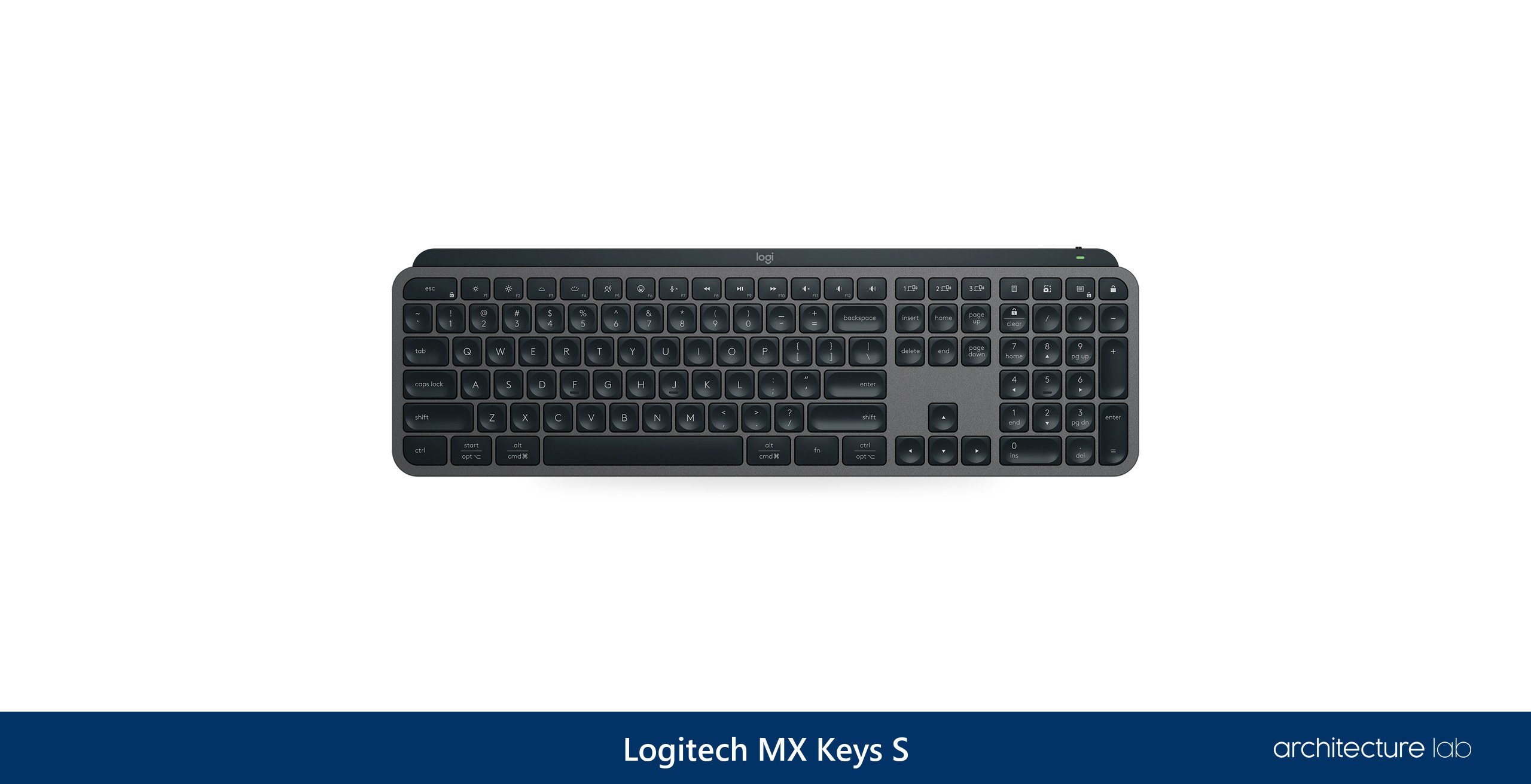
The Logitech MX Keys S suits a desk shared by a CAD workstation and a laptop, carrying a full numeric keypad, quiet low-profile keys and switching between up to three devices with a single press, over Logi Bolt or Bluetooth Low Energy, and that combination covers most of what an architect's desk asks of a keyboard. Its scissor keys need only 60 grams of force over 1.8 millimeters of travel, light enough that a long day of aliases and dimensions stays comfortable even without a wrist rest, and as an office keyboard it rates very good. Battery life depends on the backlight: Logitech rates up to 10 days with it on and up to 5 months with it off, while its support specification gives a separate 146 hours in a bright room at backlight level 4.
Programming runs through Logi Options+, where Smart Actions chain several tasks to one keystroke. For AutoCAD, a macro has to send the alias and Enter, and on this board custom keys sit only on the top row, with Smart Actions still limited while in beta. The published system floor differs, macOS 10.15 and Android 8.0 in the store specification against macOS 11 and Android 9.0 in the support specification. It is also the strongest mid-range keyboard for a Mac. Against the Logitech MX Mechanical, it gives up mechanical switches for a thinner, quieter board, and Logitech sells it directly.
What We Like
- Full-size layout with a numeric keypad
- Pairs with three devices, one key to switch
- Low-profile scissor keys, 60 g actuation
- Smart Actions macros in Logi Options+
- Sold directly by Logitech
What We Don't Like
- Logitech publishes two different battery ratings
- Custom keys limited to the top row
- One height setting
02. 3Dconnexion Keyboard Pro with Numpad - Best Keyboard for AutoCAD
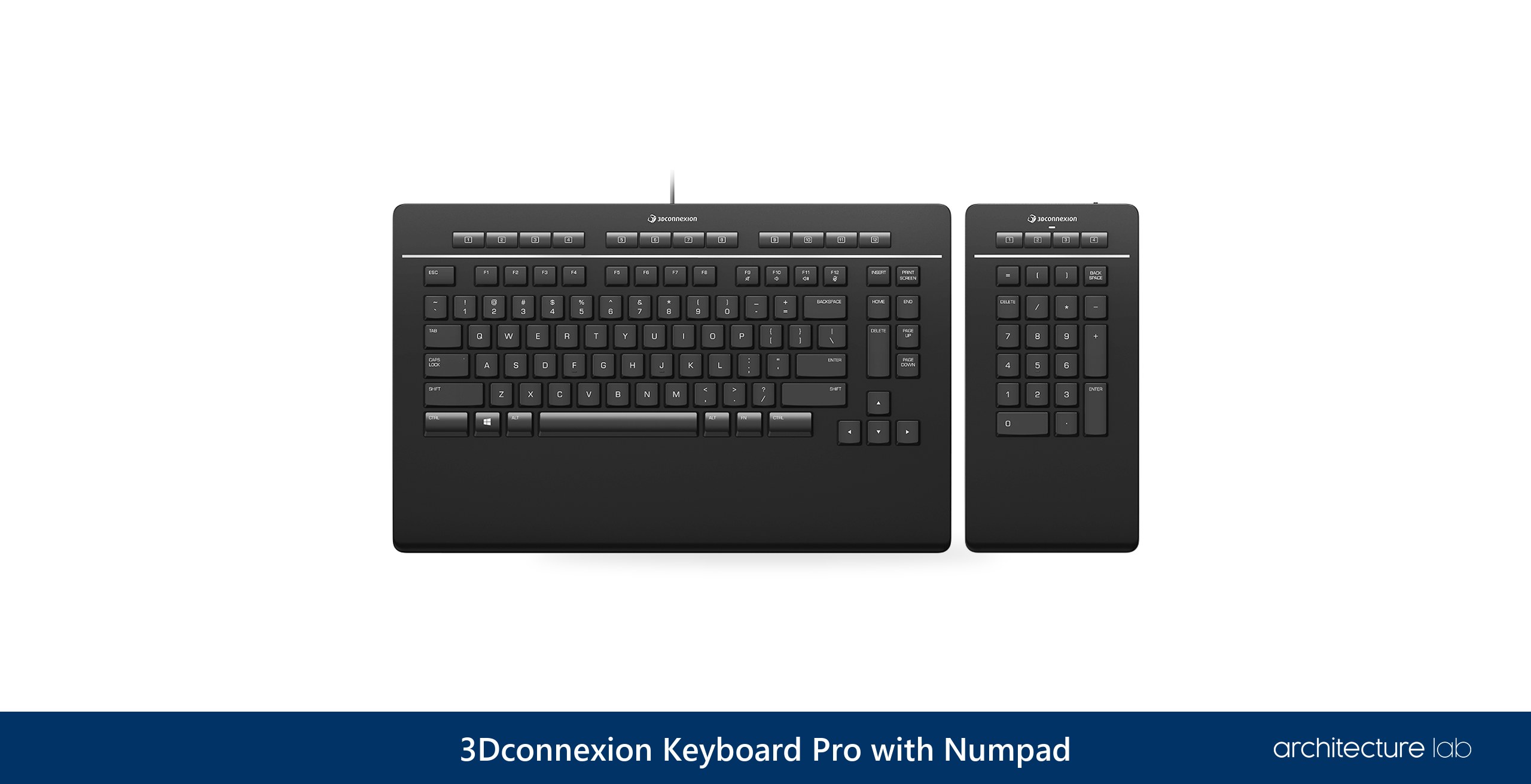
3Dconnexion designed the Keyboard Pro with Numpad for CAD professionals, the only board among the ten made for that job, and it gives AutoCAD commands keys of their own. Twelve programmable keys sit in a row over the function keys, with 4 programmable media keys beside them, and every key is configurable per application, arriving pre-configured through 3Dconnexion's driver for popular 3D applications, among them AutoCAD, Revit and SOLIDWORKS. The numeric keypad detaches and connects wirelessly, so it can sit to the left of the keyboard. That placement keeps the mouse close to the body, as Cornell's ergonomics guidance recommends, and the mouse hand no longer bumps into an oversized board on its way across the desk.
A Mac office can rule it out at once, since it runs on Windows only, and the keyboard itself is corded over USB-A, with only the numpad wireless. There is no backlight, the hotkeys can glitch now and then, and as a plain typing board it is unremarkable. Its strength builds over time, once commands, shortcuts and macros are assigned across its keys and the layout becomes part of the drafting routine. Against the MX Keys S, it gives up wireless typing and Mac support for keys and software made for CAD, and 3Dconnexion sells it directly.
What We Like
- 12 programmable keys plus 4 media keys
- Detachable wireless numpad
- Configured per application in 3DxWare
- Designed for CAD by 3Dconnexion
- Sold directly by 3Dconnexion
What We Don't Like
- Windows only
- Corded keyboard, wireless numpad only
- No backlight
03. Keychron Q6 Max - Best Programmable Keyboard for Revit
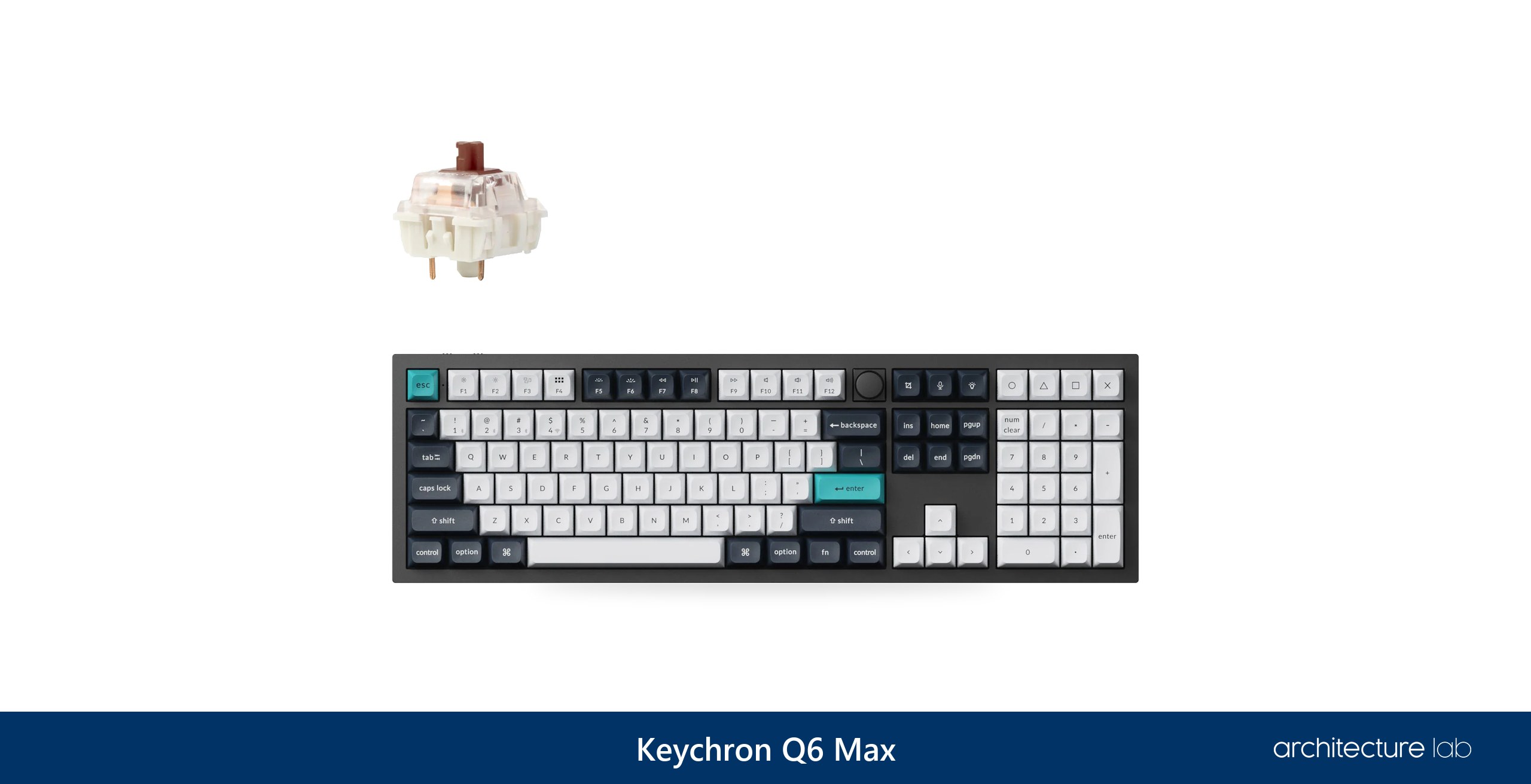
The Keychron Q6 Max keeps its keys and macros in the board's own QMK firmware, so one of its keys can send a Revit shortcut with nothing installed on the computer. That makes the difference in offices where IT blocks the peripheral software macro devices depend on. Revit runs a shortcut of up to five letters or numbers the moment the last key is pressed, and it imports and exports shortcut sets as files. Remapping happens in the Keychron Launcher web app.
Dense aluminum takes it to 2.2 kilograms, heavy enough to make it a board for one desk, with four macro keys beside the numpad but no height-adjustable feet and no wrist rest in the box. Editing the keymap needs wired mode and a Chromium browser. Against the MX Mechanical, it has full-height, hot-swappable switches where the Logitech's are low-profile, and firmware remapping in place of Logitech's software, sold directly by Keychron.
What We Like
- Remapping and macros stored in QMK firmware
- Full-size 100% layout with a knob
- Hot-swappable Gateron Jupiter switches
- Wireless, Bluetooth for three devices, or cable
- Four macro keys beside the numpad
What We Don't Like
- Heavy at 2.2 kg
- No height-adjustable feet or wrist rest
- Keymap editing needs wired mode and a Chromium browser
04. Logitech MX Mechanical - Best Mechanical Keyboard for Long Drafting Sessions
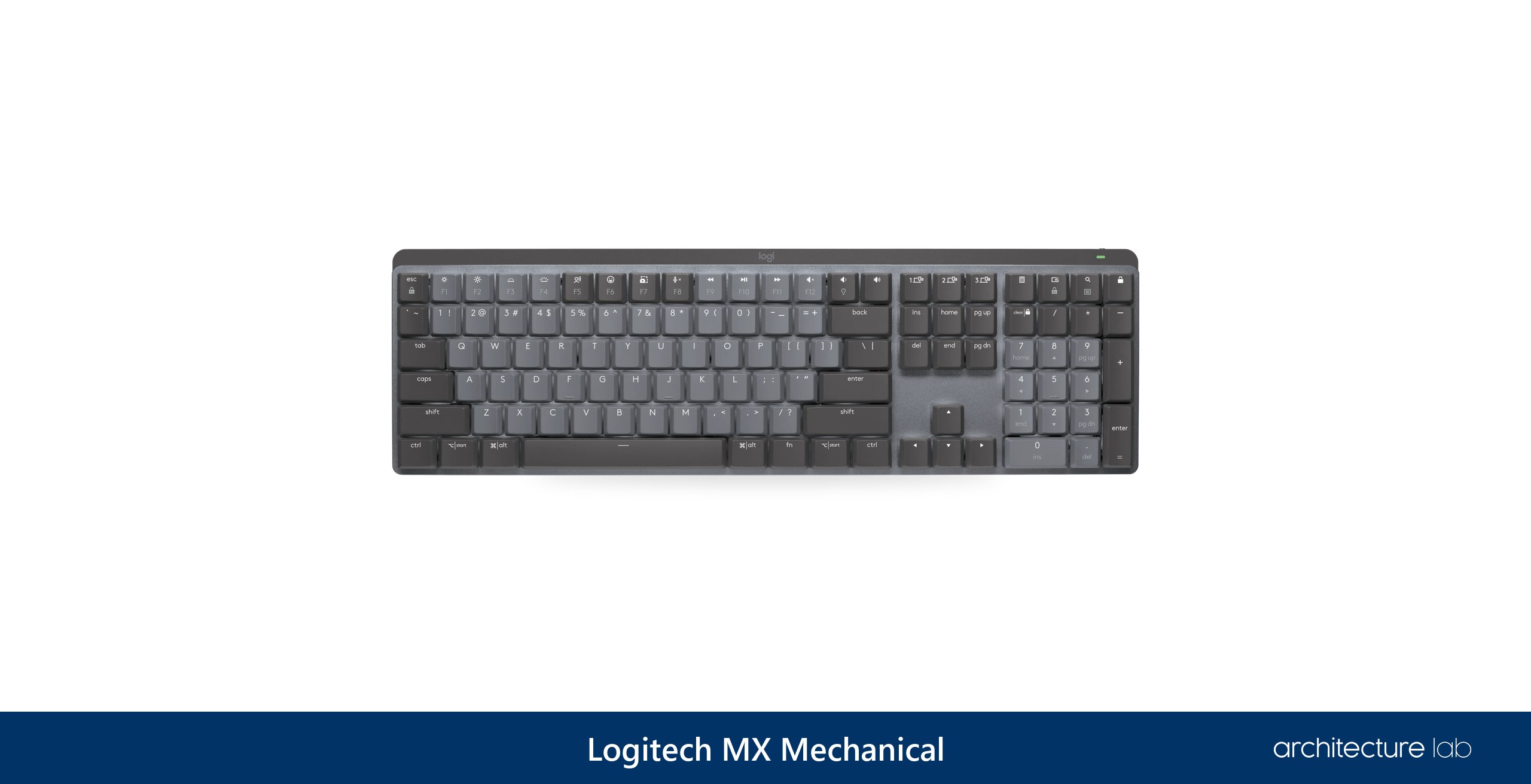
Under the Logitech MX Mechanical's Tactile Quiet, Clicky and Linear options sit Kailh low-profile Brown, Blue and Red switches, and their low height keeps a mechanical board comfortable through long drafting sessions without a wrist rest. It is full-size with an integrated numpad, so coordinates and distances stay on the same board as the aliases.
Remapping depends on Logi Options+, which changes its function keys on Windows and macOS while other systems get basic functions only, and some buttons do not work as intended on macOS and Linux. Brown switches have a long following among CAD users, though the case for them rests on older practitioner discussion more than on recent evidence. Against the Keychron Q6 Max, the MX Mechanical sits lower under the hands but leans on Logitech's software where the Keychron keeps its mapping in firmware. All three switch styles are sold directly by Logitech.
What We Like
- Low-profile mechanical, three switch types
- Full-size with integrated numpad
- Pairs with three devices
- Up to 15 days backlit, 10 months unlit
- Comfortable without a wrist rest
What We Don't Like
- Some keys misbehave on macOS and Linux
- Remapping needs Logi Options+
- Practitioner evidence for mechanical switches in CAD is old
05. Logitech ERGO K860 - Best Ergonomic Keyboard for Architects
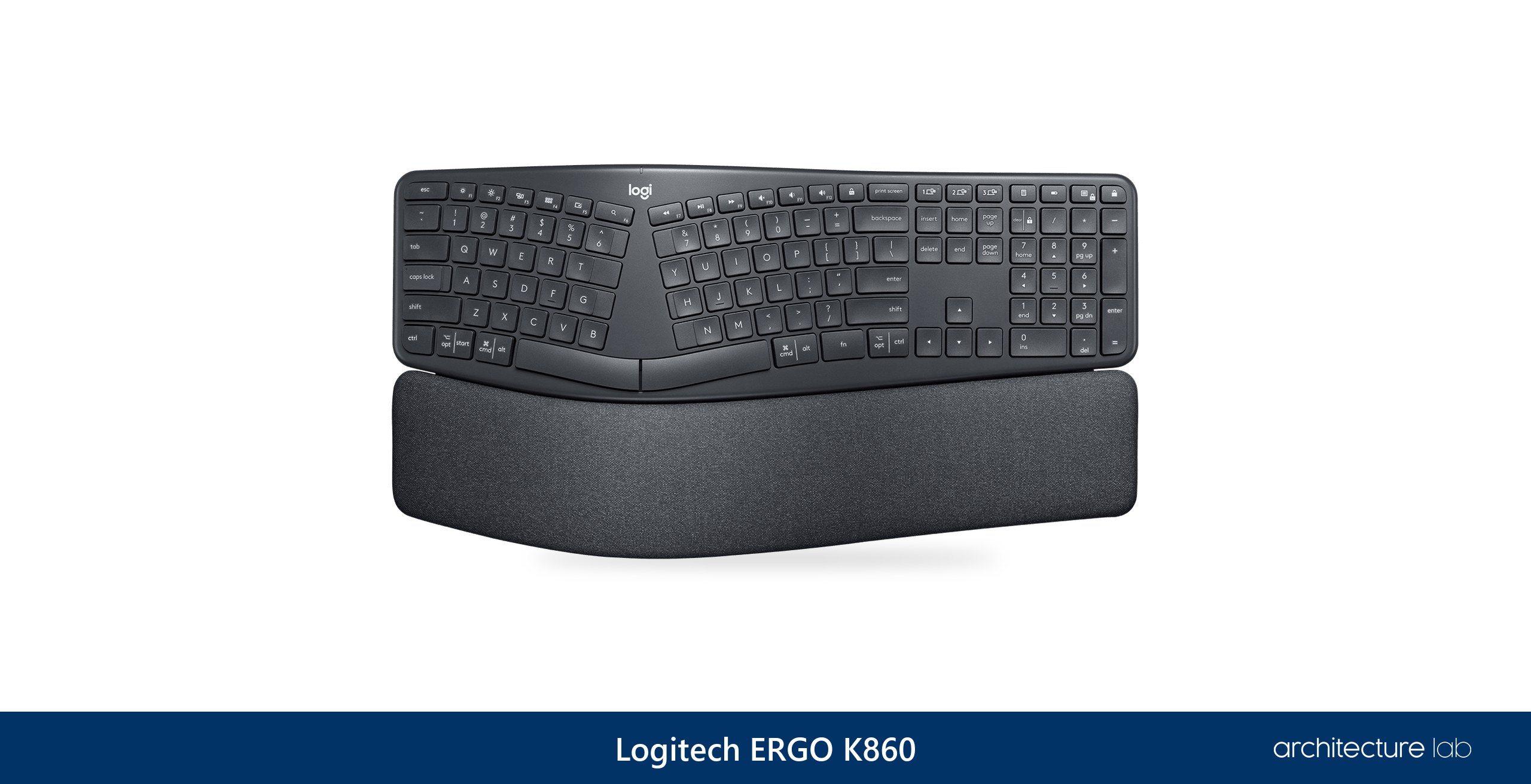
The Logitech ERGO K860 brings a split, curved layout to the full numeric keypad CAD shortcuts use, with two negative-tilt settings in line with Cornell's ergonomics guidance to tilt the keyboard down slightly. A curved board angled away from the user can help people with a lot of wrist pain. Among mid-range ergonomic keyboards it is the strongest all-round choice, an excellent office keyboard as well as a split one.
The split layout takes time to learn, and ergonomic claims about strain and injury deserve a critical eye. Logitech's Wave Keys, the best budget ergonomic board, is a one-piece wave-shaped design with a number pad and palm rest but no negative tilt. The Kinesis Freestyle2 for PC goes further, splitting fully into two halves with optional tenting, though it has no separate numpad. Logitech sells the K860 directly.
What We Like
- Split, curved layout with negative tilt
- Full-size with integrated numpad
- Pairs with three devices
- Up to 24 months on two AAA batteries
- Top mid-range ergonomic keyboard
What We Don't Like
- Split layout takes time to learn
- No backlighting
- Runs on AAA batteries
06. Logitech MX Keys Mini - Best Compact Keyboard for a Small Desk
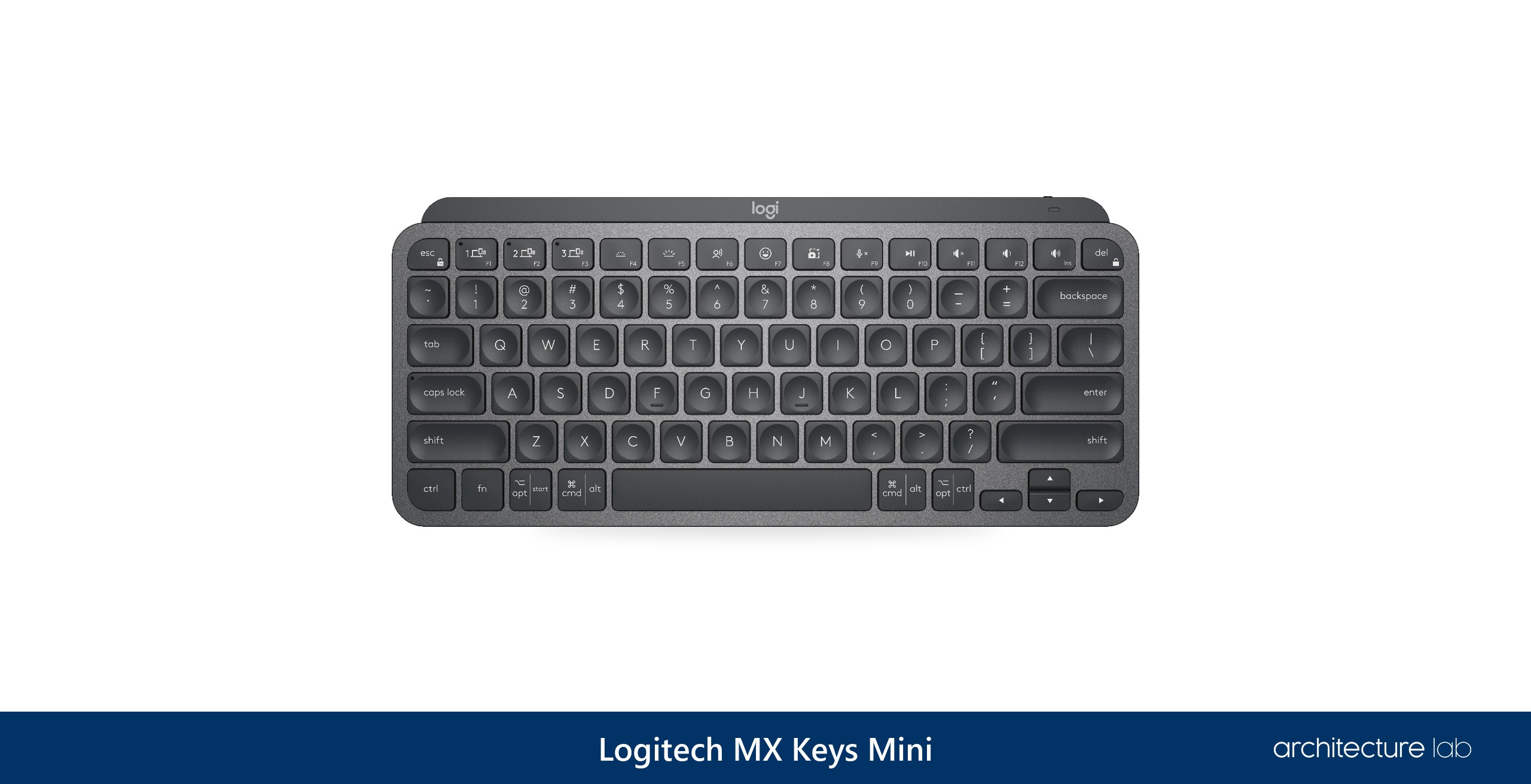
The Logitech MX Keys Mini, a 75% board without the numpad and navigation keys of the full-size MX Keys, keeps both hands nearer the center and lets the mouse sit close to the body, because Cornell's ergonomics guidance centers the user on the B key and a numeric keypad on the right pushes the hands off that midline. Out of the box it connects by Bluetooth Low Energy only, to up to three devices.
AutoCAD accepts numeric-keypad keys on their own as shortcut keys, so dropping the ten-key pad loses them, and specific shortcuts become impossible to use. A separate keypad such as the 3Dconnexion Numpad Pro puts programmable keys back on the left. Macro support has also grown since the board's early days, when it had no macro-programmable keys, and Logi Options+ now adds app-specific profiles and Smart Actions. Where macOS FileVault is enabled, Logitech advises its separately sold Bolt receiver, and the keyboard itself is sold directly by Logitech.
What We Like
- 75% layout keeps the mouse close
- Pairs with three devices
- Backlit, up to 10 days per charge
- App-specific profiles and Smart Actions
- Sold directly by Logitech
What We Don't Like
- No numeric keypad for AutoCAD keypad shortcuts
- Bluetooth only, Bolt receiver sold separately
- Macros depend on Logi Options+
07. Apple Magic Keyboard with Touch ID and Numeric Keypad - Best Keyboard for Mac Users
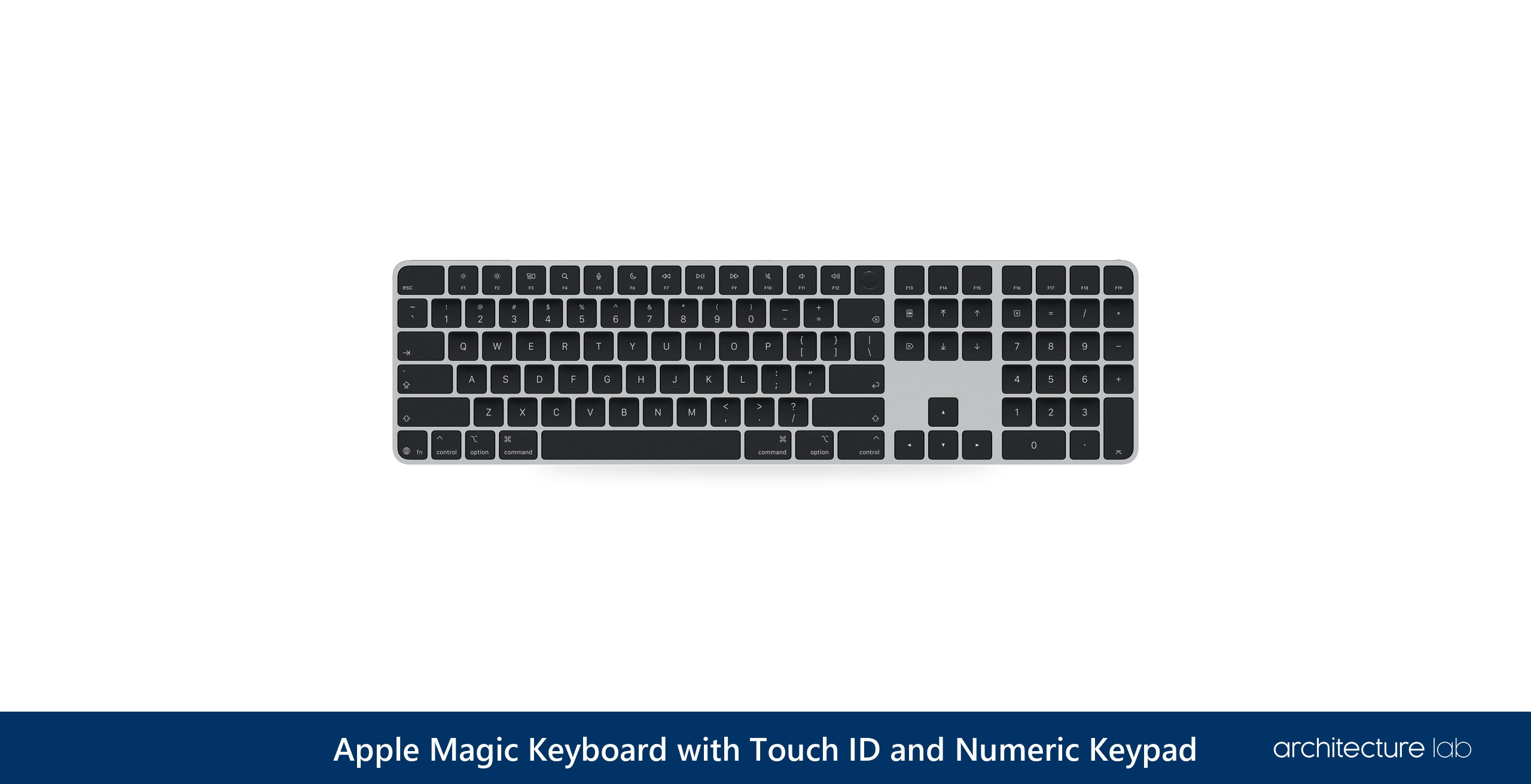
Touch ID on a Mac keyboard comes only with Apple's Magic Keyboard with Touch ID and Numeric Keypad, which keeps the numeric keypad as well. Its extended layout adds document navigation keys and full-size arrow keys, and it charges and pairs over USB-C. It requires a Mac with Apple silicon on macOS 15.1 or later, and among keyboards for the Mac it is the strongest pick overall.
Apple keeps it simple: it pairs with one device at a time, has no backlighting, and offers no programmable keys or remapping software. Macs without Apple silicon, and iPads, use Apple's older Magic Keyboard with Numeric Keypad instead, which drops Touch ID, charges over Lightning and is still sold. On macOS, Archicad 27 has a quirk, documented by a developer, with any physical numeric keypad: typed digits can switch focus to its Tracker, and Graphisoft has no quick fix planned. For several devices and programmable keys on a Mac, the MX Keys S does both.
What We Like
- Touch ID, only on Apple's keyboard
- Full numeric keypad and navigation keys
- USB-C charging, about a month per charge
- Scissor keys
- Top keyboard for Mac
What We Don't Like
- One device at a time
- No backlighting
- No programmable keys
08. Logitech K780 Multi-Device Wireless Keyboard - Best Multi-Device Keyboard
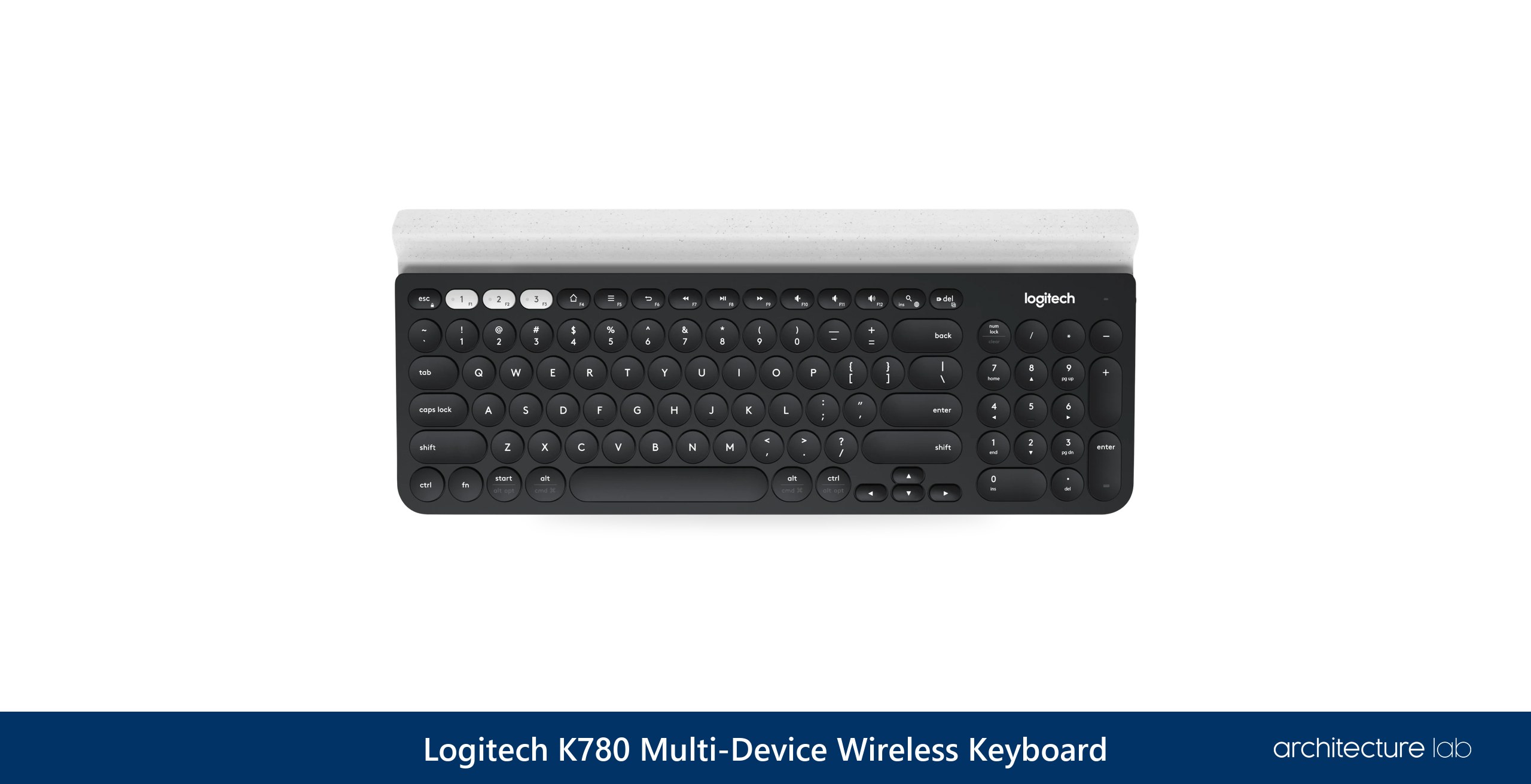
The Logitech K780 sets itself apart with a built-in stand that holds a tablet or phone upright, and its Easy-Switch keys move the typing between three devices. It is a compact board with a number pad, connecting by Logitech's Unifying receiver or Bluetooth, with Easy-Switch keys for three Bluetooth channels and support for Windows, macOS, ChromeOS, Android, iOS and iPadOS. Logitech rates its two AAA batteries at 18 months, and its wireless range at 33 feet.
It earns its place on a desk where a workstation, a laptop and a tablet with drawing markups share one keyboard, with the tablet held upright in the stand. Against the MX Keys S, it runs on AAA batteries in place of a rechargeable one and adds the stand, and Logitech sells it directly.
What We Like
- Switches between three devices
- Built-in tablet and phone stand
- Compact with a number pad
- Up to 18 months on two AAA batteries
- Works across six operating systems
What We Don't Like
- Runs on AAA batteries
- Uses the older Unifying receiver
- Compact number-pad layout
09. Logitech Signature K650 - Best Budget Keyboard for Architects
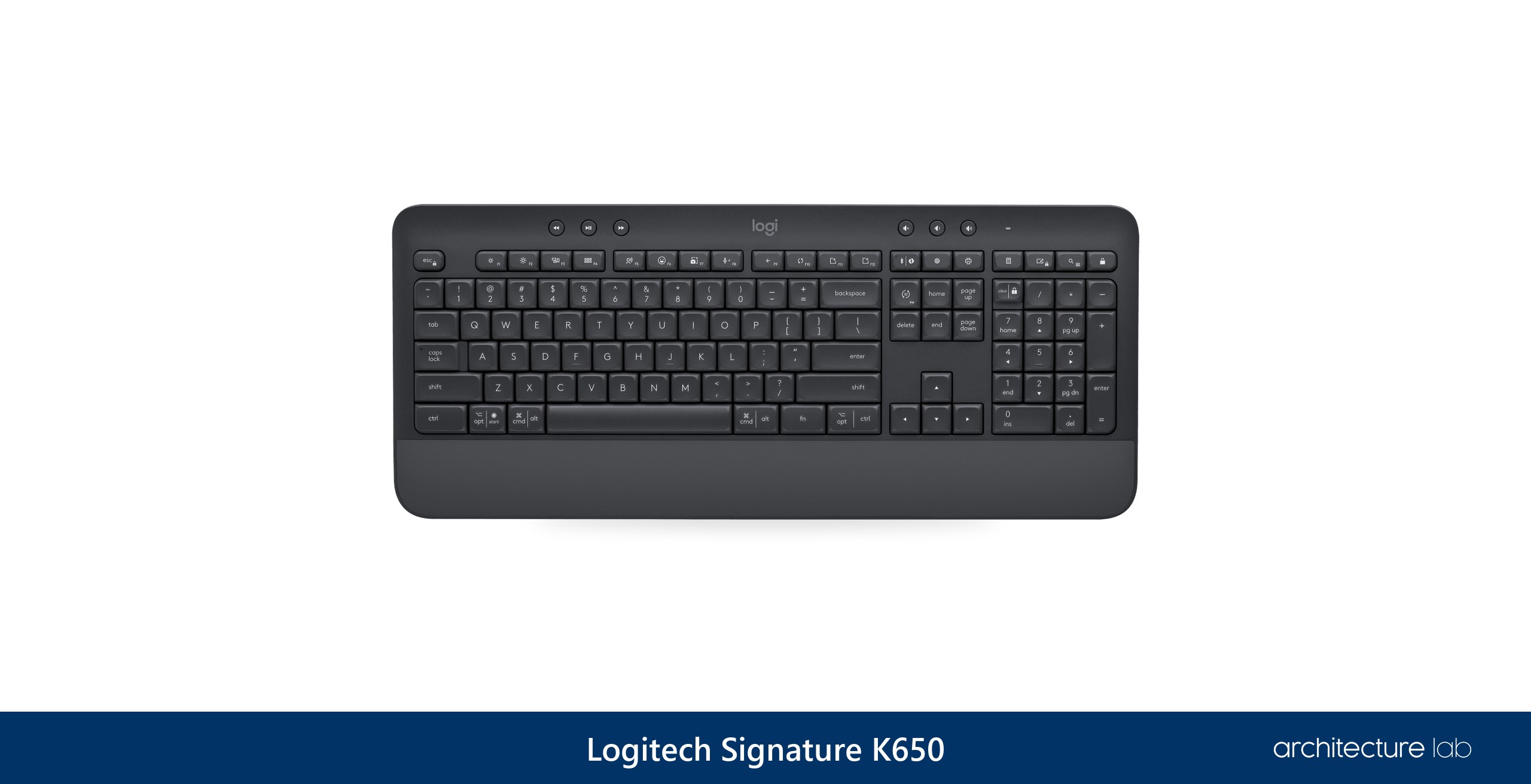
A budget price on the Logitech Signature K650 still buys the full-size layout, the numeric keypad and a built-in palm rest, which makes it the best budget keyboard for most people. Logitech sells it directly, its keys are deep-cushioned membrane rubber domes, and a 36-month battery rating means the batteries rarely need a thought.
The savings show in the typing feel: the rubber-dome switches are mushy, and there is no backlight and no multi-device pairing. Logitech's own support answers name two different battery types for it, AA in one and AAA in another. For the lowest cost of all, Logitech's corded K120 is a full-size, spill-resistant keyboard with a 10-key number pad and nothing to install. Keychron's B33 and B36 are the cheapest scissor alternatives, in full-size or tenkeyless form.
What We Like
- Full-size with a numeric keypad
- Built-in palm rest
- Bluetooth or Logi Bolt
- 36-month battery rating
- Best budget keyboard for most people
What We Don't Like
- One device at a time
- Mushy rubber-dome keys
- No backlighting
10. 3Dconnexion Numpad Pro - Best Left-Hand Keypad for CAD Commands
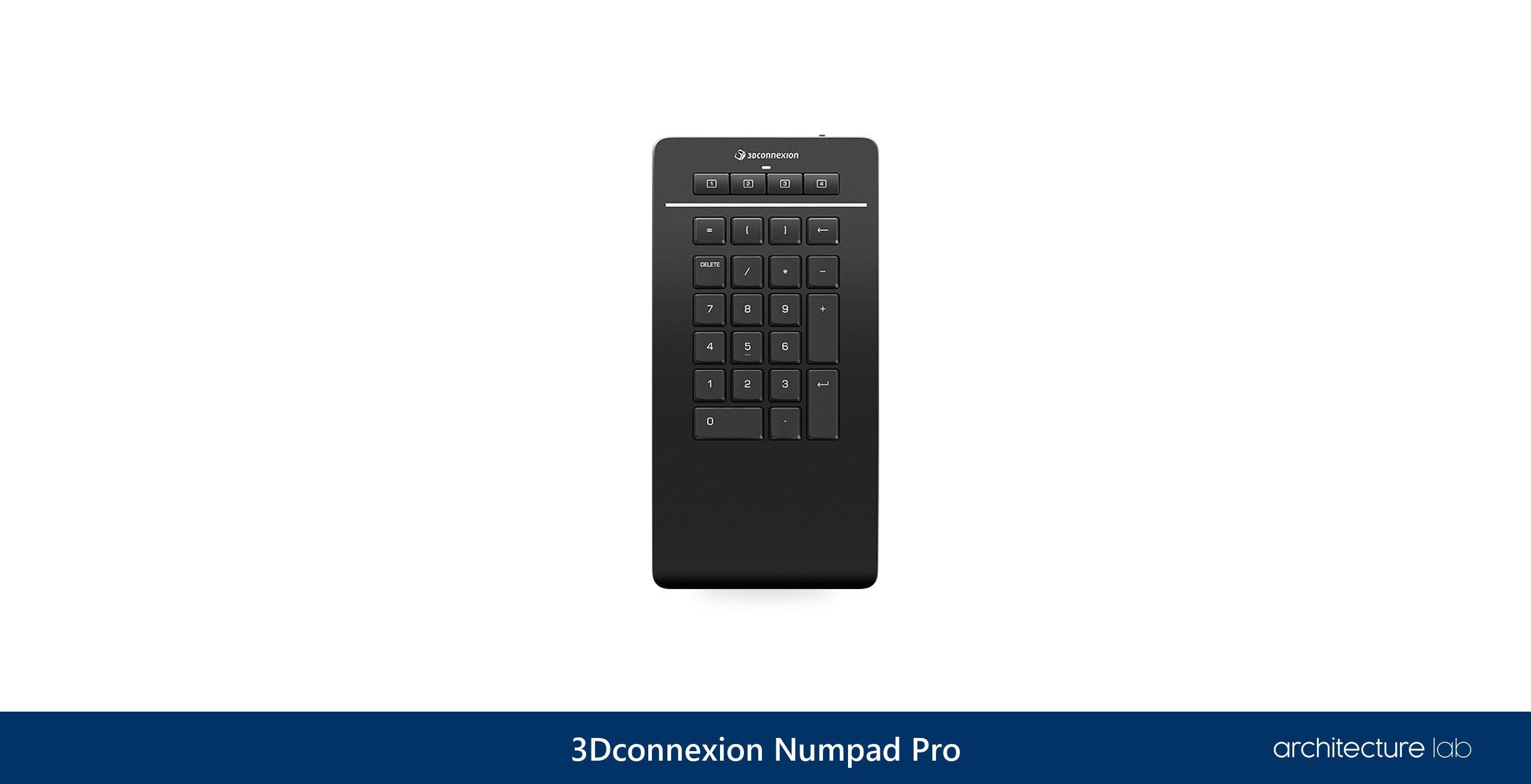
The 3Dconnexion Numpad Pro puts into hardware a habit AutoCAD drafters already have: they run phone apps and Elgato's Stream Deck as left-hand macro pads for LINE, TRIM and OFFSET, and an Archicad user counts about 800 shortcut combinations under his left hand. The pad serves the hand that is not on the mouse, with four programmable application-specific keys and five customizable operator keys on scissor switches.
It is supported on Windows, and like any keypad it only helps AutoCAD if each macro sends the alias and Enter: a keypad that types L, C and A does not start LINE, CIRCLE or ARC until its macros include Enter. Gaming keypads have long done the same job, Razer's Nostromo and now the Tartarus, and the current Tartarus V2 Pro stores three profiles on the device, which helps where an office blocks software installs. Against the Keyboard Pro with Numpad, the Numpad Pro adds CAD keys to any keyboard in place of replacing it, and 3Dconnexion sells it directly.
What We Like
- Four programmable app-specific keys
- Five customizable operator keys
- Bluetooth, 2.4 GHz or USB-C
- Sits left of any keyboard
- Battery rated for six months
What We Don't Like
- Windows only
- Only four programmable keys
- AutoCAD macros must include Enter
What is the best keyboard for architects?
The best keyboard for architects is the Logitech MX Keys S, a full-size, low-profile board with a numeric keypad that pairs with three devices and supports Smart Actions macros. For AutoCAD, the 3Dconnexion Keyboard Pro with Numpad adds 12 programmable keys and a detachable numpad. For Revit, the Keychron Q6 Max stores its key mapping in its own firmware. The screen it sits beside is chosen in the guide to the best monitors for architects.
What is the best keyboard for AutoCAD?
The best keyboard for AutoCAD is the 3Dconnexion Keyboard Pro with Numpad, with 12 programmable keys configured per application and a detachable wireless numpad that can sit on the left. AutoCAD starts a typed alias when Enter or the spacebar is pressed, and it accepts numeric-keypad keys on their own as shortcut keys. A full-size board or a separate keypad keeps those keys, and the Keyboard Pro runs on Windows only.
What is the best keyboard for Revit?
The best keyboard for Revit is the Keychron Q6 Max, because its QMK firmware stores key mappings and macros on the keyboard itself. Revit runs a shortcut of up to five letters or numbers when the last key is pressed and can import and export shortcut sets. A firmware macro therefore works on an office computer where installing a keyboard app is not allowed.
Do architects need a numeric keypad?
Architects working in AutoCAD benefit from a numeric keypad, because AutoCAD accepts numpad keys on their own as shortcut keys, and coordinate entry and direct distance entry, both typed as numbers, are among its most-used precision features. The cost is reach: Cornell's ergonomics guidance notes that a keypad on the right pushes the hands off the midline. A detached or left-side keypad keeps both the numbers and a close mouse. A standard full-size board already carries the keypad, so all of this works without a special keyboard.
Is a mechanical keyboard better for CAD?
A mechanical keyboard is not required for CAD, and recent practitioner evidence on the question is thin. The case for brown switches rests mainly on older practitioner discussion. For those who want one, the Logitech MX Mechanical is low-profile and full-size with a numpad, and it stays comfortable for long periods. The Keychron Q6 Max is the full-height, hot-swappable alternative.
What is the best ergonomic keyboard for architects?
The best ergonomic keyboard for architects is the Logitech ERGO K860, a split, curved board with an integrated numpad and two negative-tilt settings, and the strongest mid-range ergonomic board. A curved board with negative tilt can help people with a lot of wrist pain, though ergonomic claims deserve a critical eye. Logitech's Wave Keys is the budget alternative, without negative tilt.
What is the best keyboard for architects who use a Mac?
The best keyboard for architects on a Mac is the Apple Magic Keyboard with Touch ID and Numeric Keypad, the only keyboard that brings Touch ID to the Mac, with a full numeric keypad and USB-C charging. It pairs with one device at a time and has no backlight. For several devices and programmable keys, the Logitech MX Keys S is the strongest mid-range keyboard for a Mac.
Do macro keys help in AutoCAD?
Macro keys help in AutoCAD when each one sends the command alias and Enter, because AutoCAD only starts a typed alias on Enter or the spacebar. Drafters start everyday commands from aliases such as L for LINE, O for OFFSET, TR for TRIM, M for MOVE or CO for COPY, which start a command without moving the cursor away from the drawing. A keypad that types L, C and A does nothing until its macros add Enter. AutoCAD's own shortcut keys accept function keys, numpad keys and Ctrl combinations, though not Alt or Shift on their own, and one practitioner puts the gain from a left-hand keypad at about 10% in command-entry speed.
What is the best budget keyboard for architects?
The best budget keyboard for architects is the Logitech Signature K650, the best budget keyboard for most people, full-size with a numeric keypad, a palm rest and Bluetooth or Logi Bolt. It pairs with one device at a time. For the lowest cost, Logitech's corded K120 is a full-size, spill-resistant board with a 10-key number pad and nothing to install.
Do programmable keyboards need software installed?
Most programmable keyboards need their maker's software installed: Logitech's Smart Actions run in Logi Options+, and the 3Dconnexion Keyboard Pro uses 3DxWare. The exceptions store settings on the device. The Keychron Q6 Max keeps its mapping in QMK firmware, and Razer's Tartarus V2 Pro stores three profiles on board. Both work in offices that do not allow peripheral software to be installed.
Can a compact keyboard work for CAD?
A compact keyboard can work for CAD if the numeric keypad is replaced. The Logitech MX Keys Mini is a 75% board without a numpad, which keeps the mouse close, as Cornell's guidance recommends, but loses the numpad keys AutoCAD accepts as shortcuts. Adding a separate keypad, such as 3Dconnexion's Numpad Pro, on the left restores programmable keys.
Can a keyboard reduce wrist pain from CAD work?
A keyboard can help with wrist pain from CAD work, though claims about strain and injury deserve a critical eye. A curved board with negative tilt, such as the Logitech ERGO K860, can help people with a lot of wrist pain, and Cornell recommends a slight negative tilt with the mouse close to the body. The mouse is the other half of the setup, set out in the guide to the best mice for CAD.
Article by Anton Giuroiu for Architecture Lab · Published 26 July 2024 · Updated 14 October 2026
More Product Reviews
Topdon TC002C Review for Building Diagnostics: Specs, Field Tests, Alternatives
HIKMICRO B10S Review for Building Diagnostics: Specs, Field Tests, Alternatives
5 Best Fiber Laser Engravers and Cutters for Precision Work